Generate tags for your
YouTube videos
Quickly and easily find tags and improve discoverability with the powerful Rapidtags Tag Generator.


What is a YouTube tag generator?
A YouTube tag generator is a tool that suggests relevant tags for your video using real search and platform data, instead of you guessing keyword variations from scratch. Enter your video's topic or title and Rapidtags returns YouTube relevant tags, including related phrases, long-tail variations, and common misspellings you'd likely miss on your own.
Do YouTube tags still matter?
Tags aren't a ranking shortcut, but they still give YouTube useful context. They help the algorithm understand what your video is about, catch alternate spellings of your title and topic, and improve your odds of showing up in the “related videos” panel next to similar content. Paired with a strong title, thumbnail, and description, accurate tags remain one of the simplest, lowest-effort wins available to any channel.
- Built from real YouTube search data, not manual brainstorming
- Surfaces long-tail phrases and misspellings you wouldn't think to add
- A full tag set in seconds instead of researching one keyword at a time
- Free to try with 5 generations a day, no account required
How to use the Tag Generator
Three steps from video idea to a full set of optimized YouTube tags.
Type in what your video is actually about. Using a video title, topic, or keyword idea works best. Skip broad, generic terms.
Rapidtags pulls real YouTube search data and returns a ranked list of relevant tags in seconds, which means no guesswork required.
Add or remove tags in the editor, check they fit YouTube's character limit, and copy the full set straight into YouTube Studio.
Go further with the Keyword Editor
This page shows a preview. Create a free account to unlock the full editor.
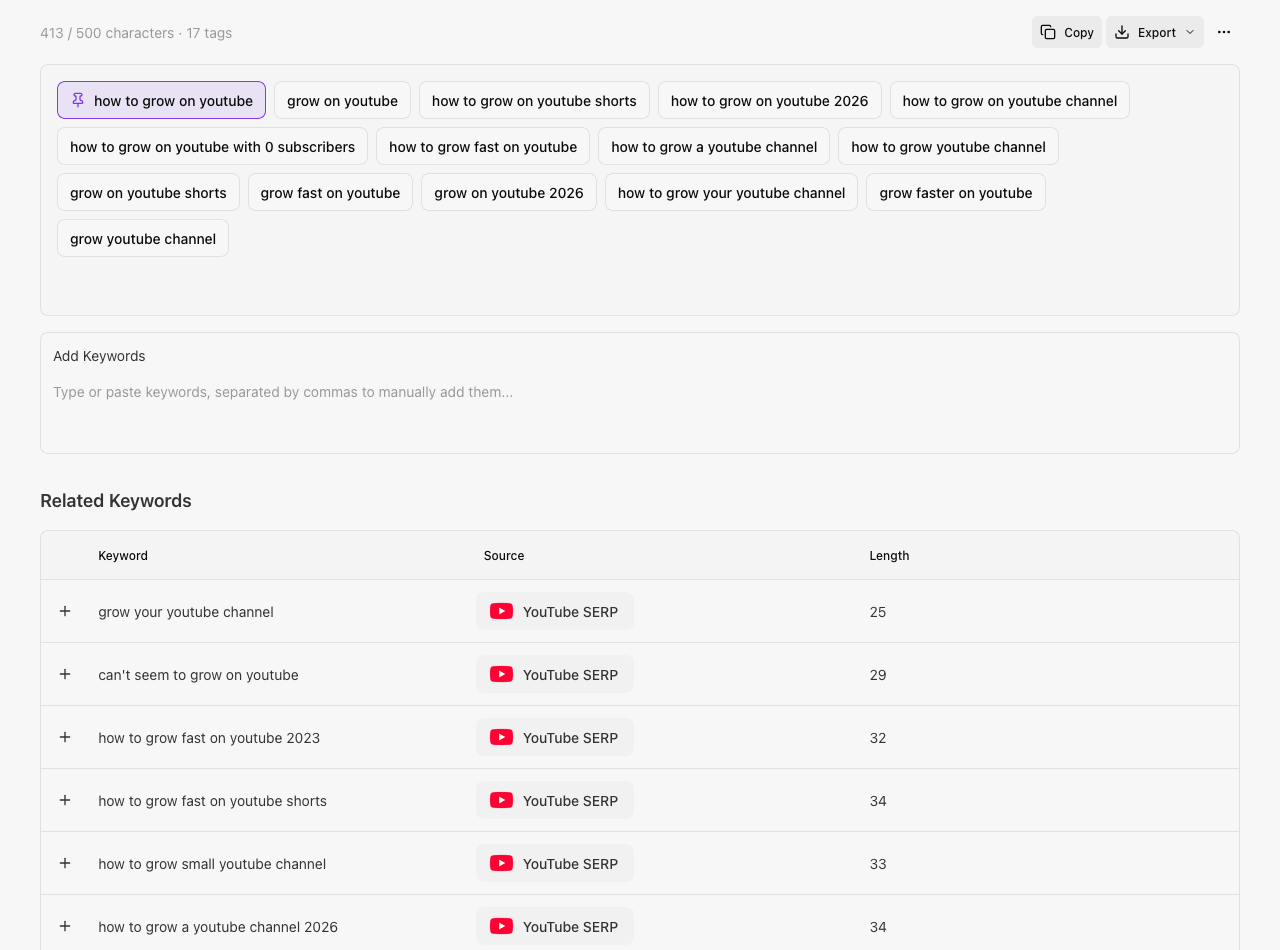
The free generator shows a preview. The Keyword Editor surfaces the complete list of related keywords for your topic, so you're not limited to just a few suggestions.
Build a personal library of go-to tags, categorize them, and auto-add them to every new session, so you stop re-typing the same core keywords for every upload.
Every generation is saved to your history, so you can revisit a past video's tag set instead of starting from scratch.
Copy or export your finalized tags in one click, ready to drop straight into YouTube Studio.
Discover more keyword research tools
Tags are one piece of YouTube SEO. Explore the rest of the Rapidtags suite to find video ideas, validate keywords, and see what's already working on your channel.
See which videos for any keyword are massively outperforming their channel's usual views, providing a shortcut to topics with proven room to grow.
Try Video OutliersGet search volume, competition, and trend context for any keyword before you commit a video to it.
Open Keyword OverviewConnect your channel to see which keywords are actually bringing viewers to your existing videos, not just guesses.
Open Video Rankings