Keyword research built for YouTube creators
Discover high-performing keywords for your YouTube videos and plan your content strategy accordingly.
 YouTube SERPYouTube SERPYouTube SERPYouTube SERPYouTube SERPYouTube SERPYouTube SERPYouTube SERPYouTube SERPYouTube SERPYouTube SERPYouTube SERPYouTube SERPYouTube SERPYouTube SERPYouTube SERPYouTube SERPYouTube SERPYouTube SERPYouTube SERP
 How to Grow on YouTube in 2023YouTube Creators1.2M views • 2 weeks ago
 10 Tips to Grow Your YouTube ChannelVideo Influencers850K views • 1 month ago
 YouTube Growth Strategies for BeginnersThink Media500K views • 3 months ago
 How to Get More Views on YouTubeNick Nimmin300K views • 6 months ago
 YouTube SEO Tips for 2023Brian G Johnson TV200K views • 1 year ago
 How to Rank Your YouTube Videos HigherVideo Influencers150K views • 2 years ago
Get a quick verdict on your keyword with opportunity scores and key findings.
Find related keywords and questions for your topic, with scores, filters, and one-click export.
Review top-ranking YouTube search results and find winning patterns.
Know whether a keyword is worth targeting
The Keyword Overview tool condenses the top YouTube results for any keyword into four simple scores and a handful of key findings, so you can judge a topic in seconds instead of guessing.
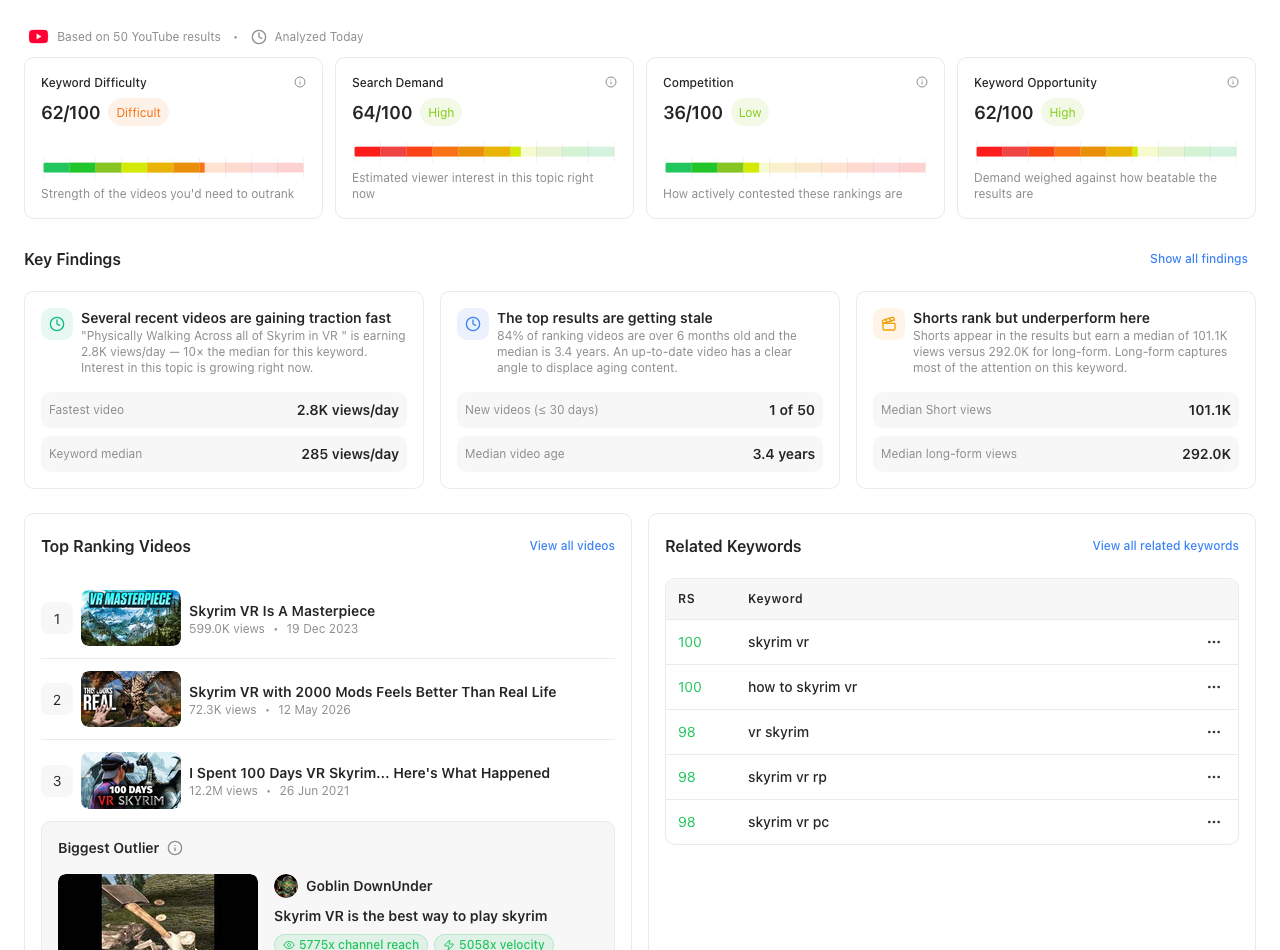
Keyword Difficulty, Search Demand, Competition, and Keyword Opportunity. Each rated 0–100 based on the videos ranking on YouTube, so you can quickly see whether a keyword is worth targeting.
Auto-generated takeaways surface what matters about a keyword, including channel sizes, content age and winning formats, without you digging through the data yourself.
See the top-ranking videos and the standout outlier for the keyword right on the overview, before diving into the full SERP analysis.
A quick preview of related keywords worth targeting, with the complete list one click away in the Keyword Explorer.
Every related keyword, in one table
The Keyword Explorer expands your seed keyword into a full table of related keywords and search questions, each scored so the opportunities worth chasing stand out from the noise.
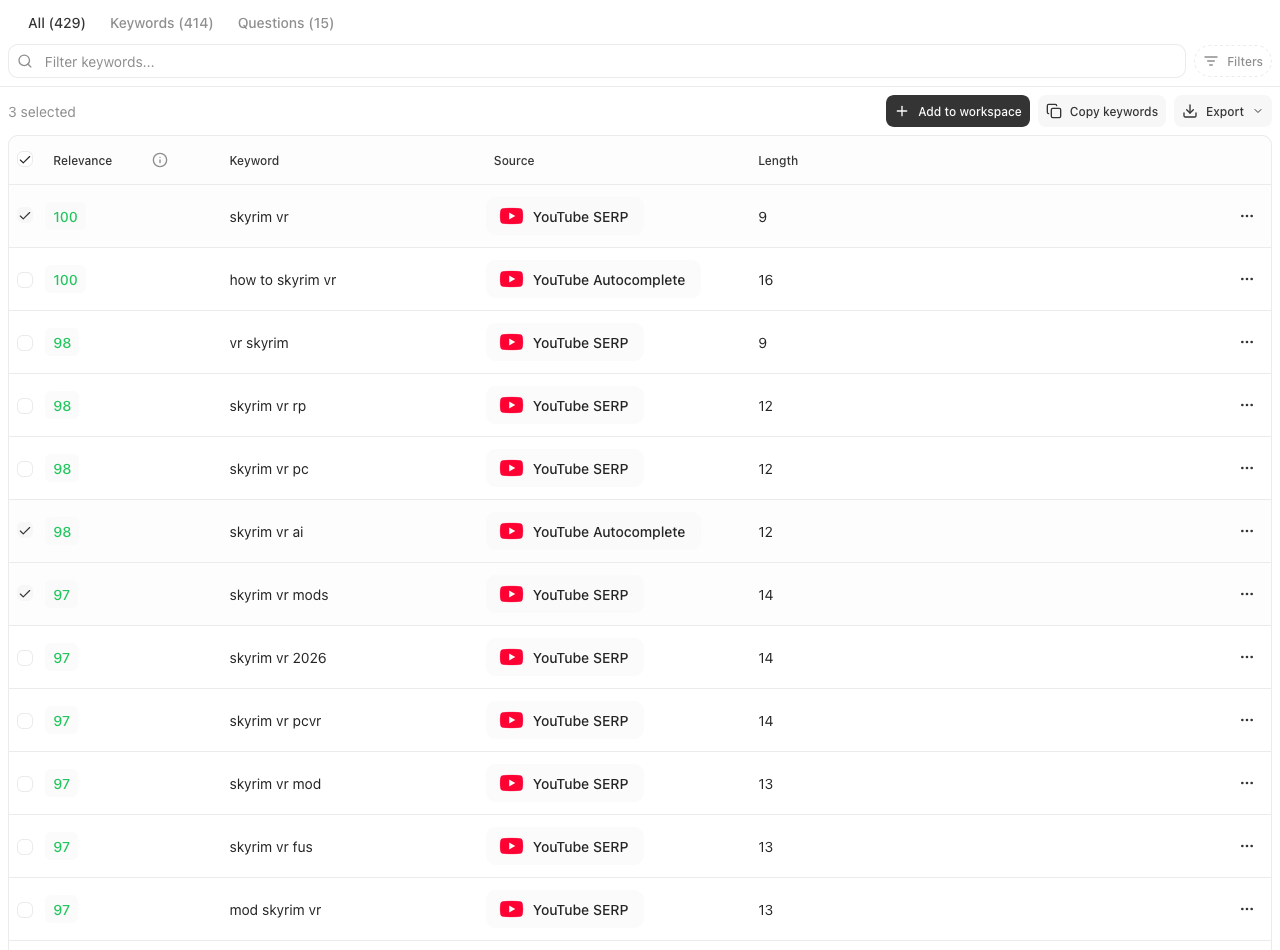
Browse the complete list in one table, with counts for keywords and questions, checkboxes for building a selection, and a score on every row.
Narrow hundreds of suggestions by score, length, source, or terms they must include or exclude, until only the keywords worth targeting remain.
Filter based on Questions to see what your audience is literally asking about your topic
Select the keywords you want and copy or export them in one click, ready for your titles, descriptions, and tags.
Add promising keywords straight into a Keyword Workspace so your shortlist survives beyond a single research session.
See what actually ranks before making the video
The SERP Analysis tool shows you the top-ranking videos for any keyword, so you can see what content is performing best and plan your own video accordingly.
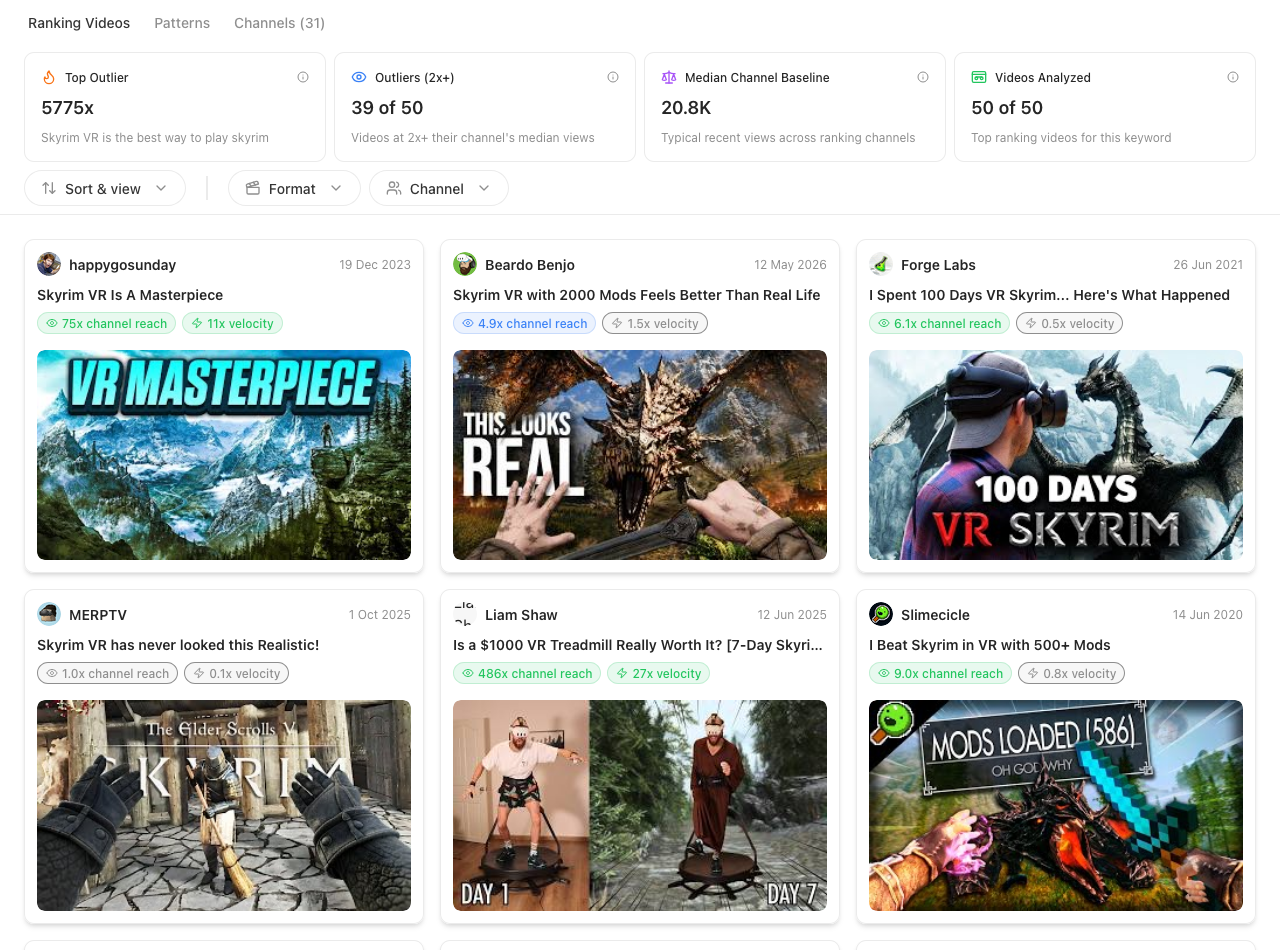
Stat cards summarize the whole SERP at once based on average and median views, how old the ranking content is, and how many small channels are breaking into the top 10.
Pattern cards break down what the top results have in common, including content format, title length, engagement rate, and upload timing.
Sort the top-ranking videos by rank, views, upload date, or outlier score, and filter by format or channel to find the results that matter.
Find which channels actually own the search results, so you know whether you're up against giants or channels your size.
Every ranking video carries Video Outliers scores, flagging results that massively outperform their own channel — a sign the topic itself is driving views.
Browse results as a visual grid of thumbnails or a dense sortable table, and open any video for a full details breakdown.


Organize your research into Keyword Workspaces
Keywords are only useful if you act on them. Keyword Workspaces, now in early access, are where your research lives between sessions.
Move keywords through a simple pipeline: unreviewed, shortlist, target and archived.
Select keywords in the Keyword Explorer and add them to any workspace in one click, so a good find never gets lost when the session ends.
Keep one workspace per channel, series, or upcoming video, so every project has its own keyword shortlist.
Select a batch of keywords and update their status, move them, or remove them in one action instead of one at a time.
Reorganize as your plans change. Shift keywords from a general research workspace into the one for a specific video.
Favorite the workspace you're actively working from so it's always one click away.
Turn target keywords into a finished tag list
Research is only half the job. The Keyword Editor picks up where your research leaves off — feed it the keywords you decided to target and build the optimized tag list for your next upload.
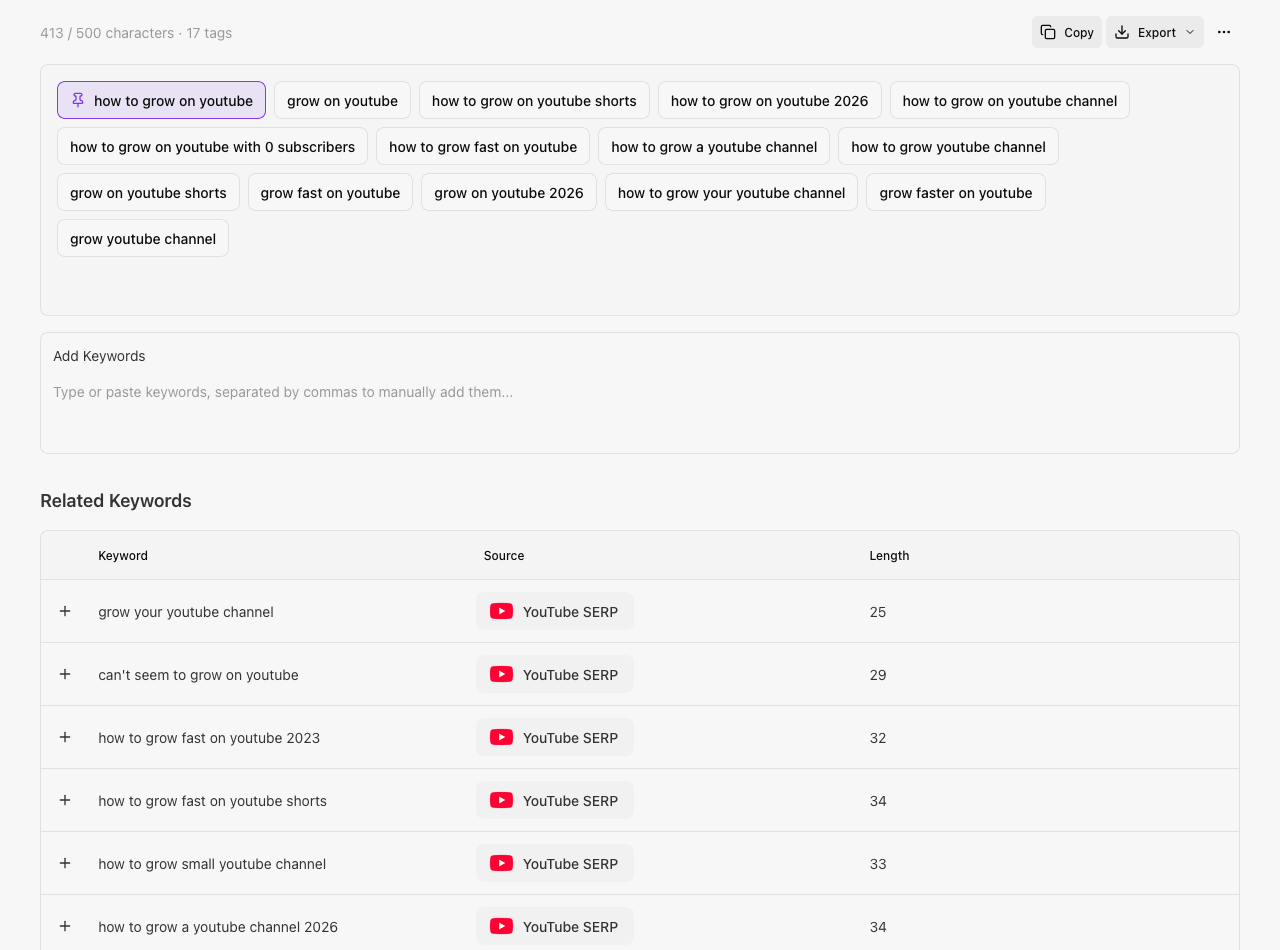
Your go-to keywords from the library are added to every new session automatically, so your core tags are never missing from an upload.
Every session is saved to your history, so you can revisit a past video's tag set instead of starting from scratch.
Take your finalized tags out in one click, ready to drop straight into YouTube Studio.